World Properties
Here are the various properties of worlds that can be set in game using the Modify Command . They can also be set in worlds.yml but normally you should not have to edit this file. Although, if you are an advanced user, you may. This is a typical plugin configuration file written in yaml and follows the same syntax as normal.
Index
- Adjust Spawn
- Alias
- Allow Advancement Grant
- Allow Flight
- Anchor Respawn
- Auto-Heal
- Auto Load
- Bed Respawn
- Difficulty
- Entity Spawn Config
- Environment
- Gamemode
- Generators
- Hunger
- Keep Spawn in Memory
- Player Limit
- Portal Forming
- PVP
- Respawn World
- Scaling
- Seed
- Weather
- World Blacklist
- World Fees
- World Visibility
Adjust Spawn
By default, Multiverse will fix spawns that are recorded in poor locations. By default the Minecraft server uses something like a getTopBlock() method and sets the spawn's Y coordinate somewhere in the middle of the earth. This is usually not safe to teleport a player directly too, so Multiverse will search for the nearest safe location.
Sometimes this is non ideal. If you do not want multiverse to do this, simply turn this variable on. If you set a spawn in an unsafe location (over a pit of lava), Multiverse will automatically disable this variable for you.
If you want to set this variable when importing a world, simply add a -n to your /mv create or /mv import command:
/mv create spaceworld normal -g NullTerrainGenerator -nType: Boolean
Example: adjust-spawn: true
In Game Usage: /mv modify [world] set adjust-spawn true
/mv modify [world] set adjust-spawn false
Alias
World aliases allow you to name a world differently than what the folder name is. This lets you choose fancy names for your worlds while keeping the folders nice and neat. If your alias has spaces, you must wrap it in quotes, for example: "My World".
The alias attribute can also include a color and a style. Worlds will show up colored and styled when your users chat and via /mv list or /mv who . It can also be used for placeholders in chat plugins (See our placeholders )
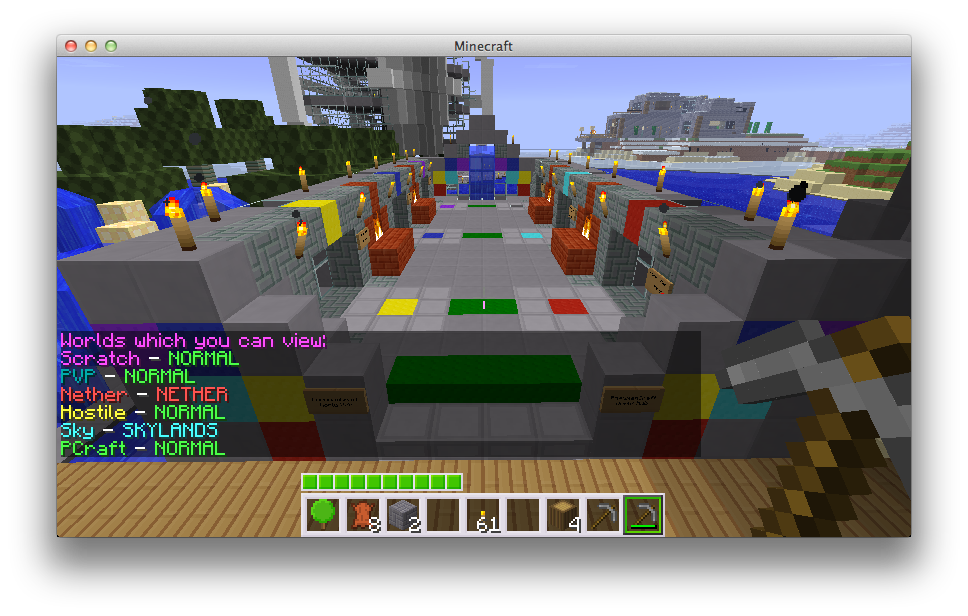
Example: Set alias to Fern World (green)
In Game Usage:
/mv modify [world] set alias "&aFern World"
In the config:
alias: "&aFern World"Although it is not enforced, it is highly recommended to NOT use the same alias for multiple worlds. This can cause confusion for players and admins alike.
If you want to tag multiple worlds with the same name/category, consider using a meta key instead. See World Meta for more information.
Allow Advancement Grant
This world property is only applicable to PaperMC servers.
Sets whether player's actions will grant the relevant advancements in this world. This is useful for lobby world that you don't want to grant advancements to players. However, this does not equate to per world advancements. For that, see Multiverse-Inventories optional advancement sharable.
Type: Boolean
Example: allow-advancement-grant: true
In Game Usage: /mv modify [world] set allow-advancement-grant false
Allow Flight
Multiverse has basic support for disabling flight per world. By default, this setting is true, which will allow flight. Set to false to disable flight. Note: This does not affect Creative mode.
Type: Boolean
Example: allow-flight: true
In Game Usage: /mv modify [world] set allow-flight false
/mv modify [world] set allow-flight true
Anchor Respawn
If anchor-respawn is set to true, players will be able to respawn at their respawn anchor in this world.
Type: Boolean
Example: anchor-respawn: true
In Game Usage: /mv modify [world] set anchor-respawn false
Auto-Heal
If your difficulty is set to peaceful, by default, players will regain health. If you do not want them to, simply set this variable to false. This setting has no effect on worlds with a difficulty greater than peaceful or 0.
Type: Boolean
Example: auto-heal: true
In Game Usage: /mv modify [world] set auto-heal true
/mv modify [world] set auto-heal false
Auto Load
Tells Multiverse to automatically load this world on startup.
Type: Boolean
Example: auto-load: true
In Game Usage: /mv modify [world] set auto-load false
Bed Respawn
If bed-respawn is set to true, players will be able to respawn at their bed in this world.
Type: Boolean
Example: bed-respawn: true
In Game Usage: /mv modify [world] set bed-respawn false
Difficulty
Allows you to set the difficulty of a given world. All possible values are: 0, 1, 2, 3, peaceful, easy, normal, hard. Remember that there are only 4 difficulties, we just let you set it with either the int or the string. They are always stored as ints in the config.
Type:
String OR Integer
Example:
difficulty: 1
In Game Usage:
/mv modify [world] set difficulty 1
/mv modify [world] set difficulty easy
/mv modify [world] set difficulty hard
/mv modify [world] set difficulty peaceful
Entity Spawn Config
Multiverse allows you to control entity spawning per world for each SpawnCategory . See the entity-spawn-config command for full command reference.
Spawn Categories
| Category | Examples |
|---|---|
monster | Zombie, Skeleton, Creeper, Witch, etc. |
animal | Cow, Pig, Chicken, Turtle, Strider, etc. |
water_animal | Squid, Dolphin |
water_ambient | Cod, Salmon, Tropical Fish, Pufferfish, etc. |
water_underground_creature | Glow Squid |
ambient | Bat |
axolotl | Axolotl |
misc | Armor Stand, Boat, Item Frame, etc. |
Properties
Each spawn category has the following configurable properties:
spawn
Whether entities of this category are allowed to spawn in the world. The exceptions list inverts this value per entity type.
Type: boolean
Default: true
exceptions
A list of entity types that negate the spawn value. If spawn is false and a type is in this list, that type will spawn. If spawn is true and a type is in this list, that type will not spawn.
Type: List<EntityType>
tick-rate
How many ticks between each spawn attempt for this category.
Type: Integer
Special values:
@unset — Multiverse does not override the server default
@bukkit — use Bukkit's default value
spawn-limit
The maximum number of entities of this category that can exist in the world at a time.
Type: Integer
Special values:
@unset — Multiverse does not override the server default
@bukkit — use Bukkit's default value
YAML Config
In worlds.yml, spawn settings are stored under the spawning key for each world:
spawning:
  monster:
    spawn: true
    tick-rate: '@unset'
    spawn-limit: '@unset'
    exceptions: []
  animal:
    spawn: true
    tick-rate: '@unset'
    spawn-limit: '@unset'
exceptions: []EXAMPLE: A world with ONLY pigs:
spawning:
  animal:
    spawn: false
    exceptions:
- PIGYou should read this as "Animals can not spawn except for pigs."
EXAMPLE: A world with NO creepers:
spawning:
  monster:
    spawn: true
    exceptions:
- CREEPERYou should read this as "Monsters can spawn except for creepers."
In Game Usage
Use /mv entity-spawn-config modify [world] <category> <action> <property> [value]:
/mv entity-spawn-config modify [world] monster set spawn false — Disables monster spawning.
/mv entity-spawn-config modify [world] animal set spawn true — Enables animal spawning.
/mv entity-spawn-config modify [world] monster add exceptions CREEPER — Adds CREEPER to the monster exception list.
/mv entity-spawn-config modify [world] monster remove exceptions CREEPER — Removes CREEPER from the monster exception list.
/mv entity-spawn-config modify [world] monster reset exceptions — Clears the monster exception list.
/mv entity-spawn-config modify [world] animal set tick-rate 400 — Sets animal tick rate to 400.
/mv entity-spawn-config modify [world] axolotl set spawn-limit 10 — Limits axolotls to 10 per world.
/mv entity-spawn-config info [world] — Shows all spawn config for a world.
Monsters will not spawn in worlds where Difficulty is set to peaceful, regardless of the spawn setting.
Environment
The type of environment this world is under. Can currently be NETHER, THE_END, and NORMAL. You should not change this value in the config.
Type:
String
Example:
environment: NORMAL
In Game Usage:
/mv create myworld normal
/mv import mynether nether
Gamemode
Allows you to set the type of mode a specific world is set to. For more information about managing per-world inventories, see Multiverse-Inventories .
If you want to allow certain players to ignore the game mode set in a world, there's a special permission:
mv.bypass.gamemode.[*|WORLDNAME]This permission is under a different root namespace because it will be off by default.
Type:
String
Example:
gamemode: SURVIVAL
In Game Usage:
/mv modify [world] set gamemode survival
/mv modify [world] set gamemode creative
Generators
Multiverse 2 allows you to use custom world generators via a Custom Generator Plugin . This line contains the information multiverse needs to load your worlds properly. You should not touch this value unless you know what you're doing.
This value may or may not be present. That's okay.
Type:
String
Example:
generator: BukkitFullOfMoon
In Game Usage:
/mv create moon NORMAL --generator BukkitFullOfMoon
Hunger
Allows you to enable or disable hunger depletion in each world.
Type: Boolean
Example: hunger: true
In Game Usage: /mv modify [world] set hunger true
/mv modify [world] set hunger false
Keep Spawn in Memory
If you disable this, bukkit will not keep this world's spawn chunks in memory, resulting in less memory used by your server when people are not logged in.
This feature has been removed by Minecraft in 1.21.9+. Setting it to true will have no effect on servers running 1.21.9 or later.
Type:
boolean
Example:
keep-spawn-in-memory: true
In Game Usage:
/mv modify [world] set keep-spawn-in-memory false
Player Limit
Multiverse has the ability to set a maximum number of players allowed in a world. By default, the limit is set to -1 indicating no limit. The setting is to specify how many players are allowed.
A player may bypass this limit with the following permissions: mv.bypass.playerlimit.* for all worlds. mv.bypass.playerlimit.NAME for specific worlds.
Type: Integer
Example: player-limit: -1
In Game Usage: /mv modify [world] set player-limit 10
/mv modify [world] set player-limit -1
Portal Form
Multiverse allows you to control whether or not users are allowed to create portals.
Allow portal forming must be NONE, ALL, NETHER or END.
Type String
Example: portal-form: ALL
In Game Usage: /mv modify [world] set portal-form none
/mv modify [world] set portal-form nether
Results are fairly self explanatory. When a player attempts to create a portal that is disabled for the world, they will receive a message informing them it is not allowed.
PVP
Whether or not players may harm each other in this world. If set to true, they may.
Type:
boolean
Example:
pvp: true
In Game Usage:
/mv modify [world] set pvp false
Respawn World
The world you will respawn to when a respawn event occurs in this world. This value can be the same as this world.
Respawn events include:
- Dying in the world
- Using the exit portal in The End after defeating the Ender Dragon (this counts as a respawn event, so setting
respawn-worldon your End world controls where players land after defeating the dragon)
Type:
String
Example:
respawn-world: "hellplanet"NOTE: If you see a temprespawn value, you can delete it. It got carried over in early versions of the migrator.
In Game Usage:
/mv modify <death world> set respawn-world <respawn-world>
/mv modify survival set respawn-world hub — respawn in hub when dying in survival
/mv modify world_the_end set respawn-world world — send players back to the overworld after defeating the Ender Dragon
Scale
Scaling of worlds when using Multiverse-NetherPortals. Setting this value will have no effect on anything but Multiverse-NetherPortals. See the Multiverse-NetherPortals documentation for how this works.
Type:
double
NOTE: If you see a scaling value, you can delete it. It got carried over in early versions of the migrator and the value is now scale.
In Game Usage:
/mv modify [world] set scale 1.2
Seed
The seed for this world. Do not change unless you are aware of the consequences of doing so (WILL cause chunk errors!).
Type:
String
Example:
seed: 'gargamel'
In Game Usage:
This command cannot be used in-game. You cannot change the seed of a generated world.
Weather
If this value is true, a world will have weather events, if false, it will not. If you want to turn off the current storm, just type /mv modify [world] set allow-weather false, wait for the weather to subside, and then /mv modify [world] set allow-weather true.
Type:
boolean
Example:
allow-weather: true
In Game Usage:
/mv modify [world] set allow-weather false
World Blacklist
The world blacklist allows you to specify worlds that people cannot go to from the specified world. For example, if you add world_gold to world's worldblacklist, then players could teleport TO world_gold from world but not back.
Type:
List<String>
Example:
worldblacklist:
- world_fish
- world_dogIn Game Usage:
/mv modify [world] add world-blacklist <world_to_block> - Adds a world to the blacklist
/mv modify [world] remove world-blacklist <world_to_block> - Removes a world from the blacklist
World Fees
You can charge users to enter various worlds. The coolest part is you don't have to use an econ plugin! You can simply use Minecraft items!
Enabled
Whether the entry fee is active for this world.
Type:
boolean
Example:
entry-fee.enabled: false
Amount vs. Currency
The amount field is how much you want to charge people. This can be an integer or double. (1 or 1.75)
The currency field is what you want to charge people. This is a material name (e.g. DIRT), or @vault-economy if you want to use virtual currency from an economy plugin.
EXAMPLE: Charging 5 Dirt to enter a world
entry-fee:
  enabled: true
  amount: 5
currency: DIRTEXAMPLE: Charging $13.75 to enter a world
NOTE: You MUST have a valid economy plugin installed (For example, EssentialsX ) as well as Vault to use economy currency (@vault-economy).
entry-fee:
  enabled: true
  amount: 13.75
currency: '@vault-economy'In Game Usage:
/mv modify [world] set entryfee-enabled true - Enables the entry fee for the world
/mv modify [world] set entryfee-currency DIRT - Sets the item currency to dirt
/mv modify [world] set entryfee-currency @vault-economy - Sets the currency to Vault economy money
/mv modify [world] set entryfee-amount 5 - Requires 5 of the configured currency
World Visibility
This property allows you to have a world that exists, but does not show up in lists. When users chat from this world, if worldnameprefix is set to true and it is hidden, their chat will appear with no world prefix.
Type:
Boolean
Example:
hidden: false
In Game Usage:
/mv modify [world] set hidden true